Overview
When attempting to remove a device by its MAC address from the KBS Portal, you may be unable to do so if the device is still assigned to a given Subscriber. In this article, we explain the process to remove the Device when it is already assigned.
Prerequisites:
- Access to the KBS Portal with the 'Access' and 'Accounts' permissions
Solution
To remove a device assigned to a subscriber:
- Search the device by its MAC address and identify the assigned Subscriber:
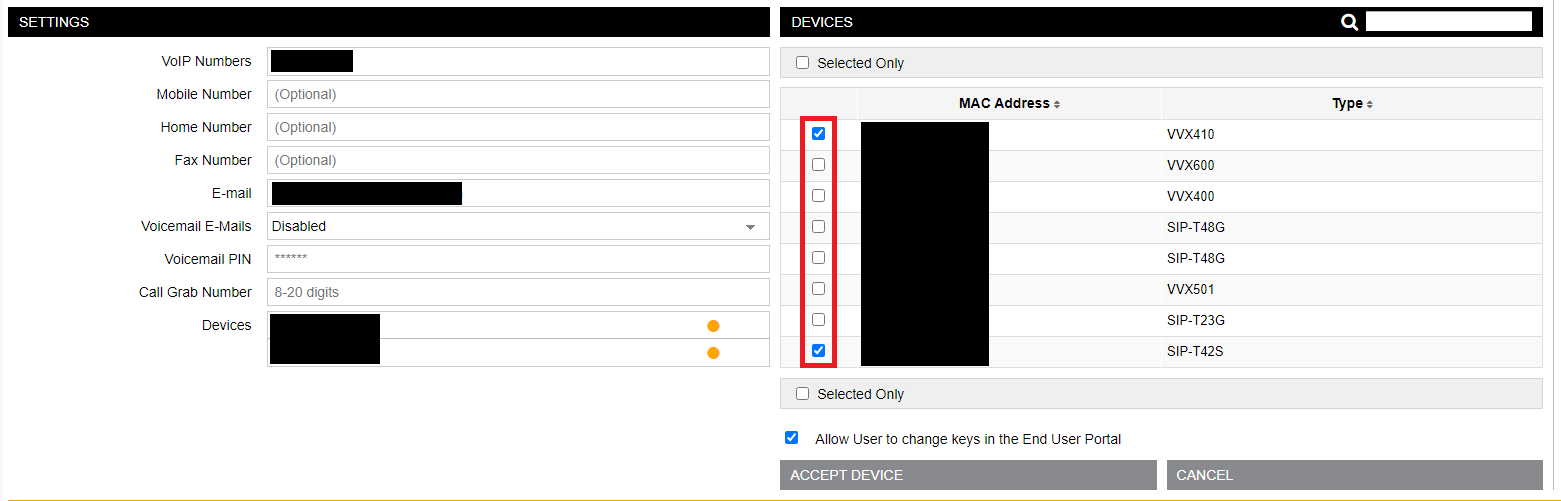
- Search for the Subscriber, and unassign any devices from the user from its Subscriber page. The list can be displayed by clicking on the 'Devices' field:
- After saving the user, attempt to remove the device again.

Verification
After unassigning the device, it should be able to be removed without issues.
Priyanka Bhotika
Comments