Overview
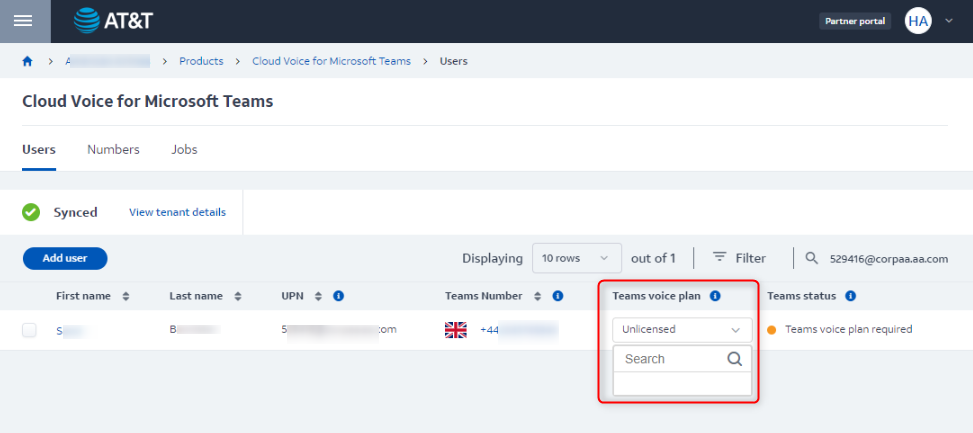
You have an issue with a particular team of users in MS Teams - there is no package available to assign to their numbers on Partner portal:
Solution
The common root cause for a package missing from the menu is that the corresponding contract signing is not completed. Before opening a ticket with the Support team, please check internally whether the relevant contract or change order are already signed.
Why a package can be missing even when a price is agreed
A package appears in the menu only after it has been added to your account's contract package list. A price agreed for a package on your account is a separate setting and does not add the package to that list. To have a package added, raise a request with Support and include confirmation that it is commercially agreed for the account (for example, the signed contract or change order).
Before you purchase and assign licenses
- Each purchased license is billed to your account from the moment it is purchased, even while it is not assigned to a user.
- Unassigning a license from a user does not stop its charge. The charge stops only when the license is returned.
- Removing a package from a user also removes that user's Teams calling setup, so the user cannot place or receive calls until a package is assigned again.
- A number must be linked to your Microsoft Teams instance before a package can be assigned to it.
Priyanka Bhotika
Comments