Overview
You may be wondering whether it is possible for you to bulk download the call recordings for a given user for which you have administrator rights.
Solution
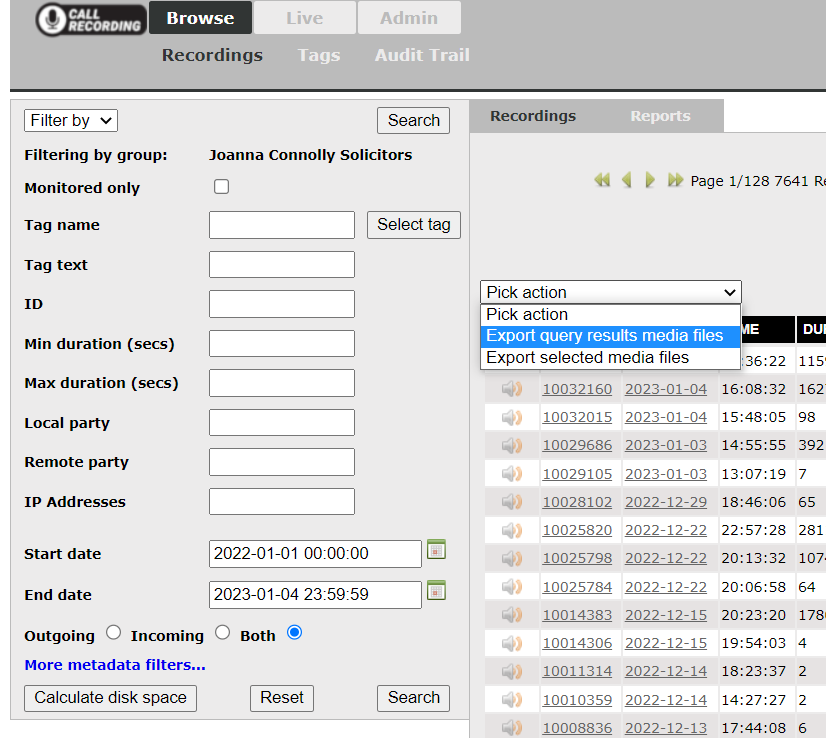
To download a set of recordings from the server, you will first need to access the Call Recording portal, which you can do under Fullfillment> Info> Profile. Once there, you should be able to filter the recordings using the different search fields.
In order to bulk download the recordings, you can choose any of the options in the dropdown above the list of recordings:
Priyanka Bhotika
Comments